How to Use Git Worktree? And How It's used by AI Agents?

Git Worktree Why would you want to use it? To be able to checkout multiple branches at the same time without having to clone your repo. Currently if you run git worktree list you’d see that you only have one git-worktree. e.g. I get the following /Users/mfaani/Developer/project-iOS 0960933f [main] The commit and branch name show the current HEAD; if you were on another branch, the worktree would show that branch instead....
How cp case-insensitivity can cause chaos!

Been doing Advent of Code in the last couple of days. I completed Day 6. I have been doing it from an Xcode project. However I was thinking it would be nice if I could do it from command line. So I started to do some code clean up. First I started with renaming the folder from AOC to aoc. I did: cp -r AOC aoc I saw a new aoc directory created....

git cherry-pick

How to cherry-pick a library fix?

I’ve done this so many times, but every time I do it with hesitance. It’s usually because I’m not certain I’m finding the right commit or if I’m applying it the right way. These steps explain the process and how to validate that you’re doing thins the right way. Find out the library version that your release is using. Check out that version of your library. Create a new branch off that version....

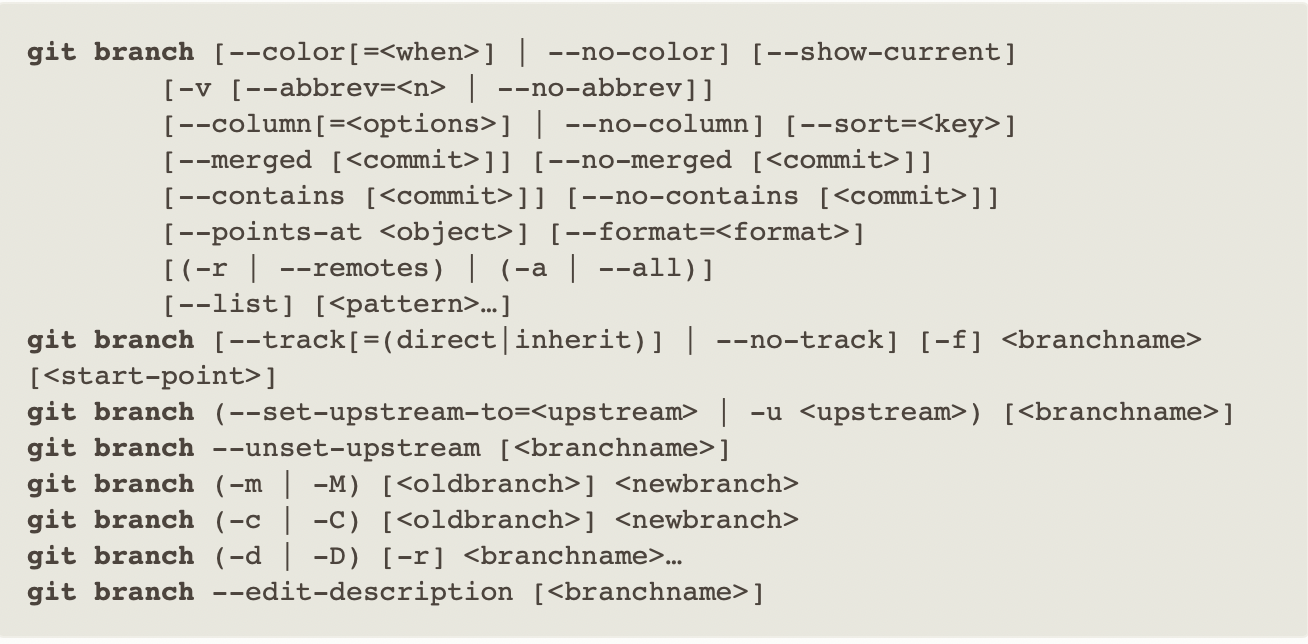
git branch synopsis

How to Read Git Documentation

I used to find it super hard to read git syntax. I didn’t know what what --, <>, [], ..., |, (), etc meant. Turns out, it’s a whole lot easier than you think. The synopsis contains a list of most likely forms you’d try. But sometimes the synopsis is just one big long synopsis where all the options are thrown in at once. This can make it hard to understand the different ways of using the options and commands....